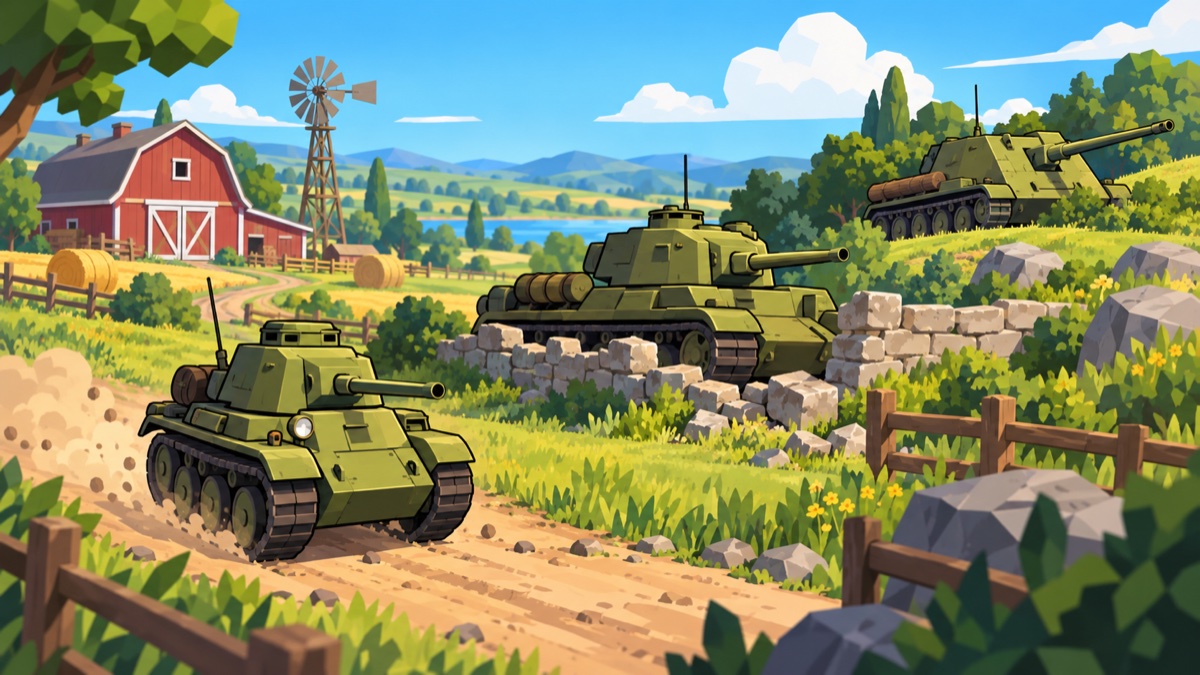
Find the enemy. Choose your shot. Keep your team alive.
Your first battle
Choose Solo to fight alongside bots, or Online → Join for a game server.
Use Choose Tank to pick your vehicle where the mode allows it. For online team matches, choose your tank and side on the deploy screen.
Find cover and an escape route before firing. A tank caught in an open field is an easy target during reload.
Blue markers identify allies; enemies have no allied marker. Your tank choice in the pause menu applies to the next round or match, not immediately.
Choose your battle
Team Match · solo
You and your allied bots face an opposing team. Each tank gets one life; eliminate the enemy team to win. Team size and the bot lineup can vary by map. If you are destroyed, you can watch a surviving teammate.
Team Match · online
Choose a side or let the server assign one. The room can include players and bots. There are up to five seats per side, subject to the map’s available spawns. Destroyed tanks wait for the next round. If time expires, the side with more surviving tanks wins; equal survivors produce a draw.
Allied tanks block shells but take no friendly damage. Avoid shooting through teammates. Explosions can still hurt the tank that fired them.
Deathmatch · online
Everyone fights everyone in a light tank. Reach 10 kills first, or lead when the 10-minute clock runs out. You respawn after destruction. Drive over health crates to restore some health. Spotting is disabled in this mode, so enemies remain visible.
Online matches are run by the game server and continue while you have a menu open. Between matches, the server counts down and prepares the next battle. Browser-hosted friend games are currently an Infantry feature.
Mouse + keyboard
W / S
Drive forward / reverse
A / D
Turn the hull
Mouse
Look and direct the gun; the turret turns at its own speed
Left mouse
Fire when the cannon is ready
Shift
Press once to zoom into the gun sight; press again to zoom out
Right mouse
Click an enemy to lock onto it. Release within 0.32 seconds; dragging during the click is allowed. Click it again, or click empty scenery, to release. The lock ends when cover blocks the line of sight or the enemy is destroyed or hidden.
Hold right mouse
Look around without redirecting the gun. An existing target lock keeps tracking its enemy.
M
Cycle the minimap through three sizes, then off
Tab
Hold for the scoreboard
Esc
Open the menu. Solo pauses; online keeps running.
The cannon reloads automatically after firing. The yellow ring around the sight fills during reload. You do not need to press R.
Three tanks, three jobs
Speed, firepower, and positioning matter in different ways. These are roles you can play, not restrictions on where you may drive.
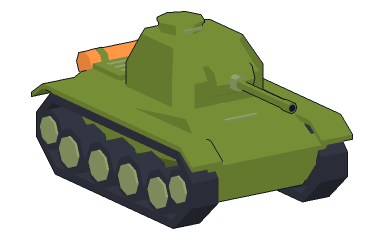
Light tank
Scout and keep moving
Fast, compact, and quick to reload, with less health and weaker shells. Spot enemies for your team, use flanking routes, and avoid trading stationary shots with heavier tanks. Its damage falls off sooner at long range.
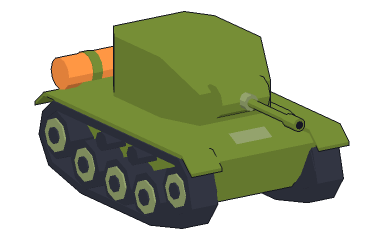
Medium tank
Fight from cover
The balanced choice: more health and stronger shots than the light, with a fully rotating turret. Peek around a wall to fire, then pull back while reloading. Keep a route open so you can support either flank.
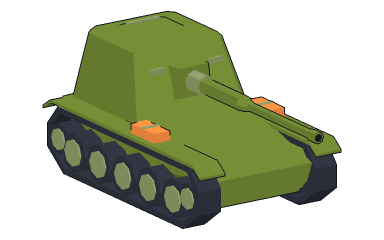
Tank destroyer
Watch a firing lane
A slow, powerful long-range gun with a narrow aiming arc. Stay settled for accurate fire and let allies spot targets. When stationary, aiming beyond the gun’s sideways limit turns the hull to keep aiming. Moving or steering manually takes priority.
Read your sights
The centre dot is your camera aim. It tells the gun where you want to aim. The circle follows the gun’s trace, so it can be away from the dot while the turret catches up or when something is in front of the barrel.
The circle represents spread and widens as you drive or turn. Give it time to settle before taking a precise shot. Zoom magnifies the view; it does not make the gun turn instantly. The circle has a minimum visible size so you can still read it when spread is very small.
Shells take time to travel. Lead a moving target rather than aiming only at where it is now. Distance can reduce damage, especially for the light tank. A destroyer is better suited to distant targets.
Spotting and concealment
In Team Match, enemies can be hidden until spotted. Clear sight, distance, tank type, and bushes affect detection. Spotting an enemy shares it with your team, so a destroyer can fire at a tank a scout has revealed—provided it has a clear shot.
Bushes help conceal you; they do not stop shells. Firing briefly removes concealment bonuses. Solid walls still block sight and shots. Very close enemies are detected automatically, even behind cover.
An enemy can remain visible briefly after the last sighting. A retained last-known position is older information, not a guarantee that the tank is still there. Nearby gunfire can give your team a position clue without granting a clear visual sighting.
Use the minimap
Your arrow points in the hull’s driving direction. The blue line shows the gun direction. Watch teammates and detected enemies to find an open flank. Press M for a wider view, or cycle to off.
Damage, tracks, and fire
Hits remove tank health. Hits on tracks or wheels can also damage the track; a disabled track temporarily limits mobility while it repairs. A hull or turret hit can start a fire, causing more damage over time. These effects depend on the firing tank and the tank being hit.
Destroyed tanks remain as wrecks and can block movement and shots. Treat them as cover only if they actually shield your tank. Keep room to reverse, and avoid squeezing past a teammate just as it moves out to fire.
Win together
Light: scout without charging into crossfire. Surviving to spot again is valuable.
Medium: use cover between shots and reinforce a flank instead of gathering in the open centre.
Destroyer: pick a clear firing lane, protect your sides, and reposition when the fight leaves your view.
Everyone: hills slow uphill driving. Plan the return journey before dropping into low ground.
Ready to play?
No download or account needed. Use a desktop or laptop with a mouse and a current browser. Settings includes graphics, sound, and input options.